Stories Design note
Part of BoomerOS for TV
I'm turning my dad's TV into a video phone
FaceTime is hard for my dad, who has mild Parkinson's. So I'm building video calls into his TV, testing on mine first. He taps my name, and I'm on screen.
My dad and I were on the phone, and I wanted to show him something. Let's do FaceTime, we said. So I called him, and he didn't answer. My mom had to help him.
A moment earlier we'd been talking. Adding video turned the call into a job for my mom.
I want an easier way to see my dad and check in on him, one that doesn't depend on him remembering how to use FaceTime. His TV is right there. He could sit down in front of it and see me on a big screen, with nothing to hold. I think that's a better call for him, so I'm building it.
Why FaceTime is hard for my dad
FaceTime isn't part of my dad's routine, and he isn't unusual there. In 2021, about two-thirds of Americans 65 and older had made a video call during the pandemic, but only 7% made one about daily or more often, against 28% of adults under 30.1 In the same survey, 66% of people 75 and older said they usually need help setting up a new device, against 12% of adults under 50.2
My dad also has mild Parkinson's. Parkinson's can affect planning and organizing,3 and for him that can make it easy to get lost in a series of steps. On a phone, a video call is a series of steps. Sometimes he gets stuck answering: the phone has to be nearby, and he has to get to it while it's still ringing. Sometimes he gets stuck starting the call, which goes like this:
- He opens his contacts and finds me.
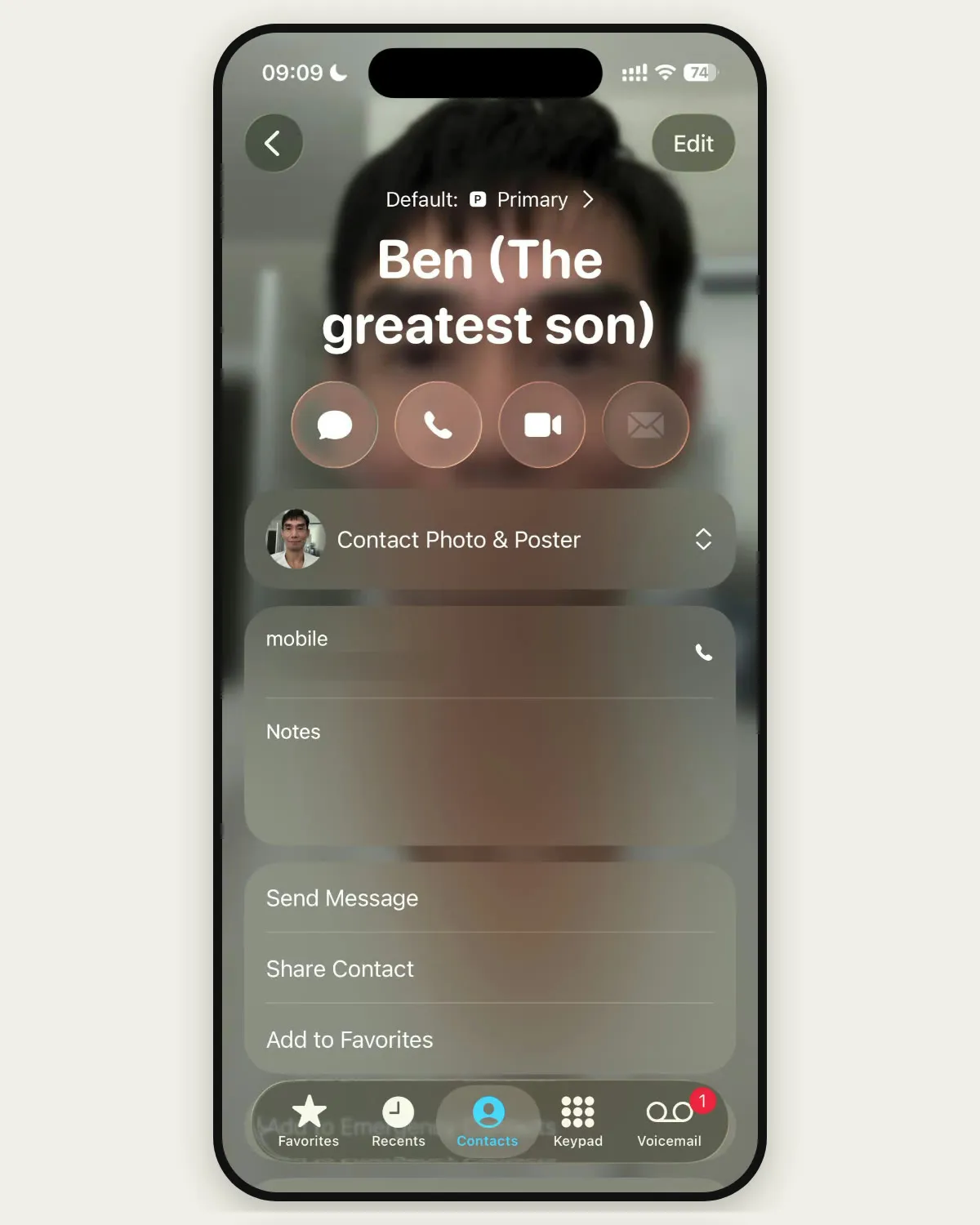
- On my card, there's a row of round icons with no words under them. He has to remember which one means video.
- Tapping the right one still doesn't call anybody. It opens a menu, and he has to pick FaceTime from a list, beside whatever other calling apps are on the phone.
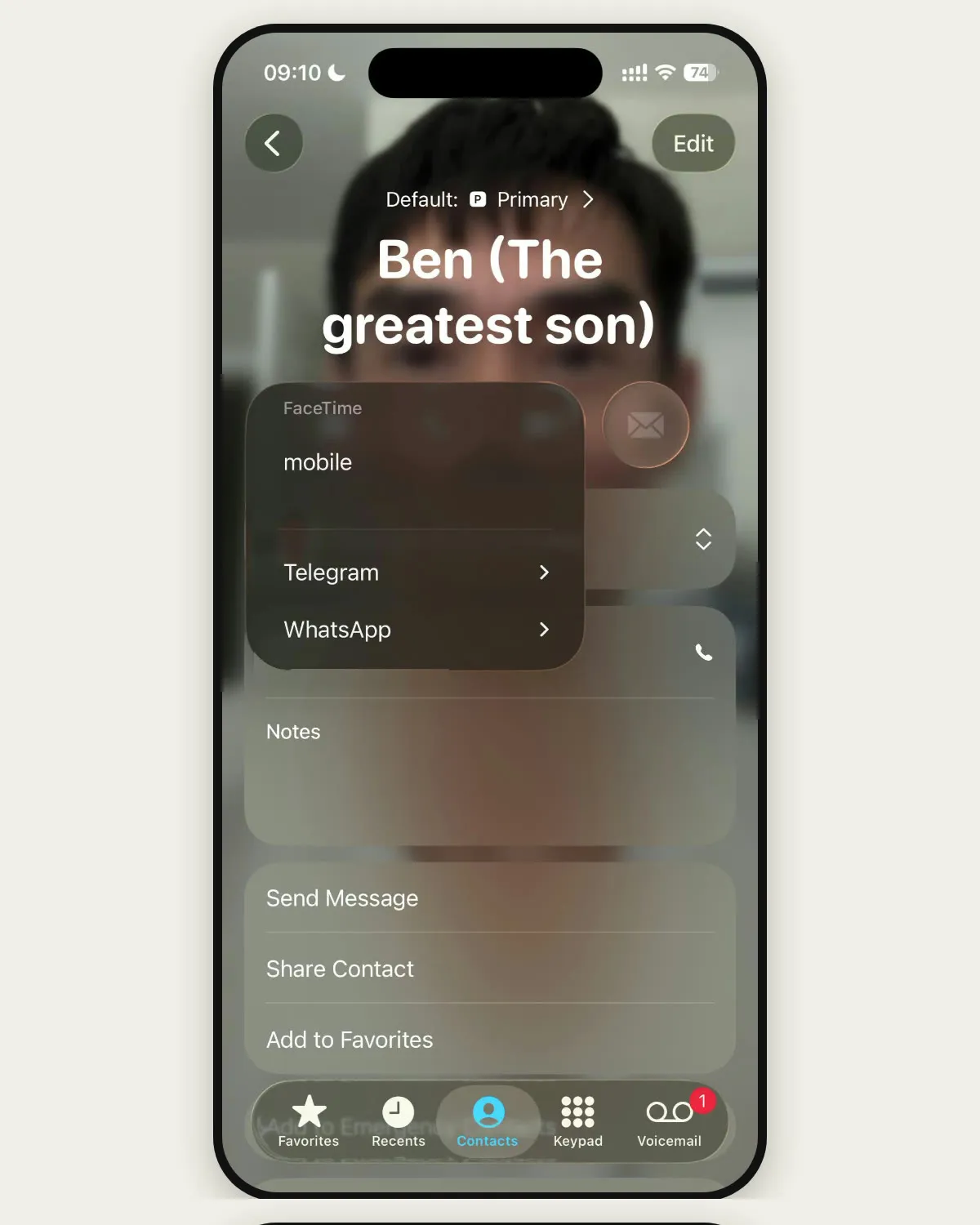
Get through all of that, and he still has to hold the phone up for the whole conversation and keep it pointed at his face, with me no bigger than the phone.
Video calls on the TV he already watches
A TV is already part of the day for older people: in 2025, Americans 75 and over watched about four and a half hours of it a day.4 Put a small webcam on top of the set, and we can talk while he sits in his chair with his hands free. A TV doesn't make it easy by itself, though. In a French test of video calls on one TV system, older adults living at home scored it 76.6 out of 100 for usability, and nursing home residents scored it 47.9.5
To reach me, he taps my name on a simple remote on his phone. I get a text, I tap one button, and I'm on his TV.
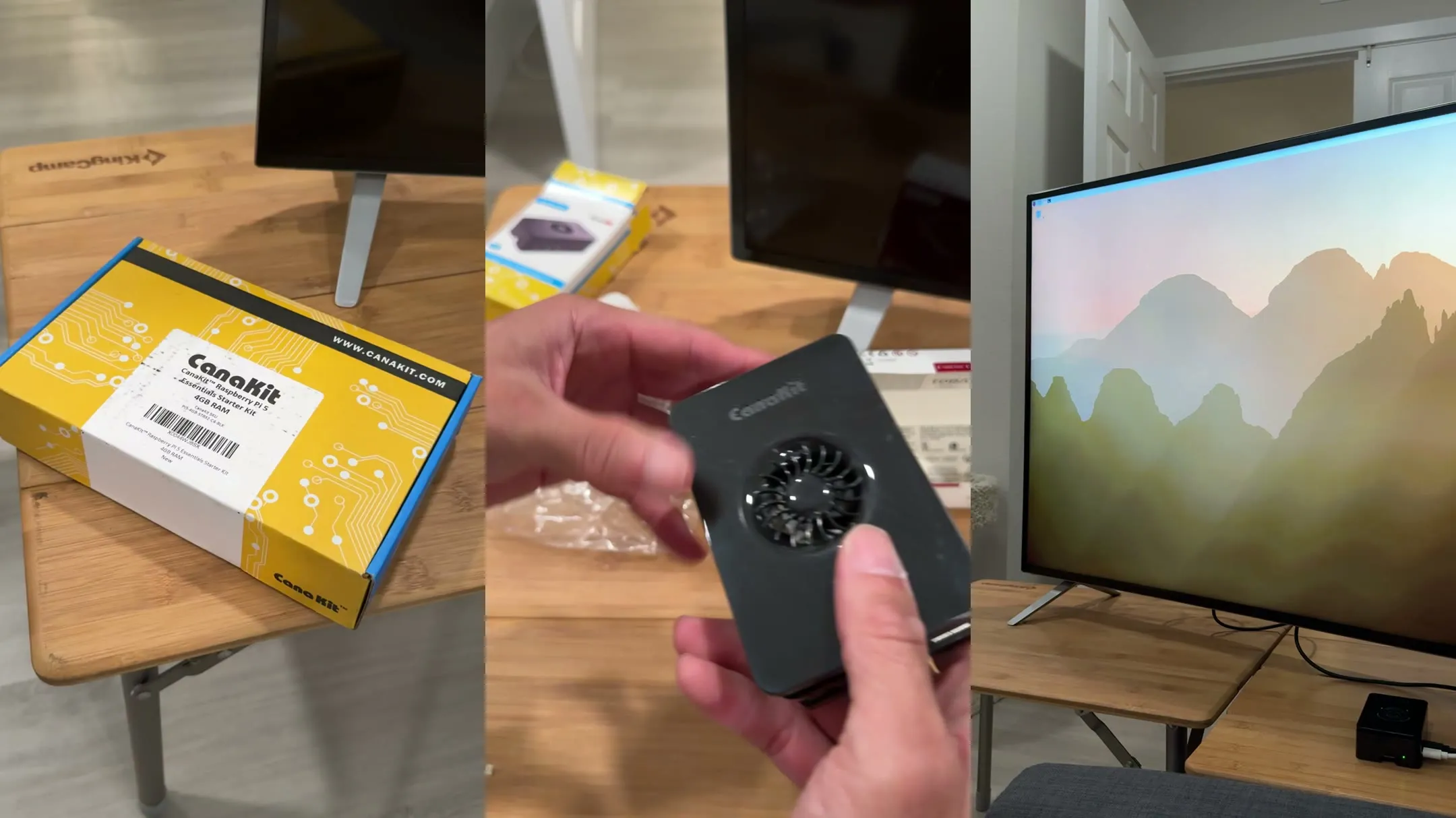
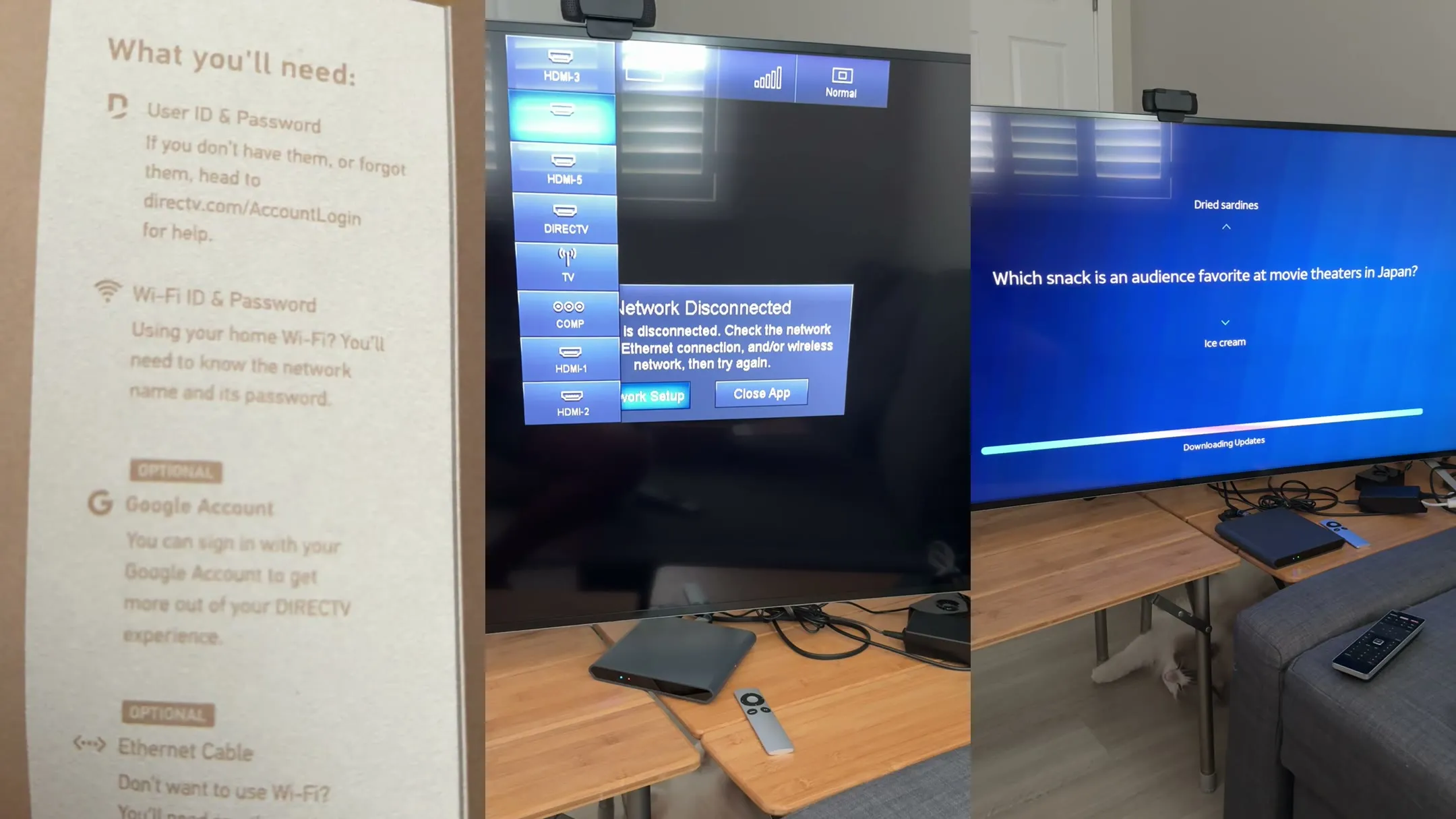
That's my TV, not his, with a small computer called a Raspberry Pi 5 and a NexiGo N60 webcam. It isn't in his living room yet, because I'm testing it on mine first, so for now I'm calling a cardboard cutout of my cat. He picks up every time.
The software on my TV didn't start with me. My friend Eric and I are building BoomerOS for TV, a simple home screen for our parents' TVs, and the first screen Eric ever drew had a button to call him. By the time I started on calls, he already had video calls working on his parents' TV. We run the same software, so I began with what he'd built and changed it to suit my dad, with help from Claude, an AI assistant.
How my dad asks me to call
It starts on his phone, which sounds like the thing I was trying to get away from. But this isn't his contacts or FaceTime. It's a shortcut I set up to the simple remote we built, a web page with the same choices as the TV, in the same places. A tap on the phone changes the TV too, so he can look at whichever he likes. And it's only for choosing. After that, the phone can go back down.
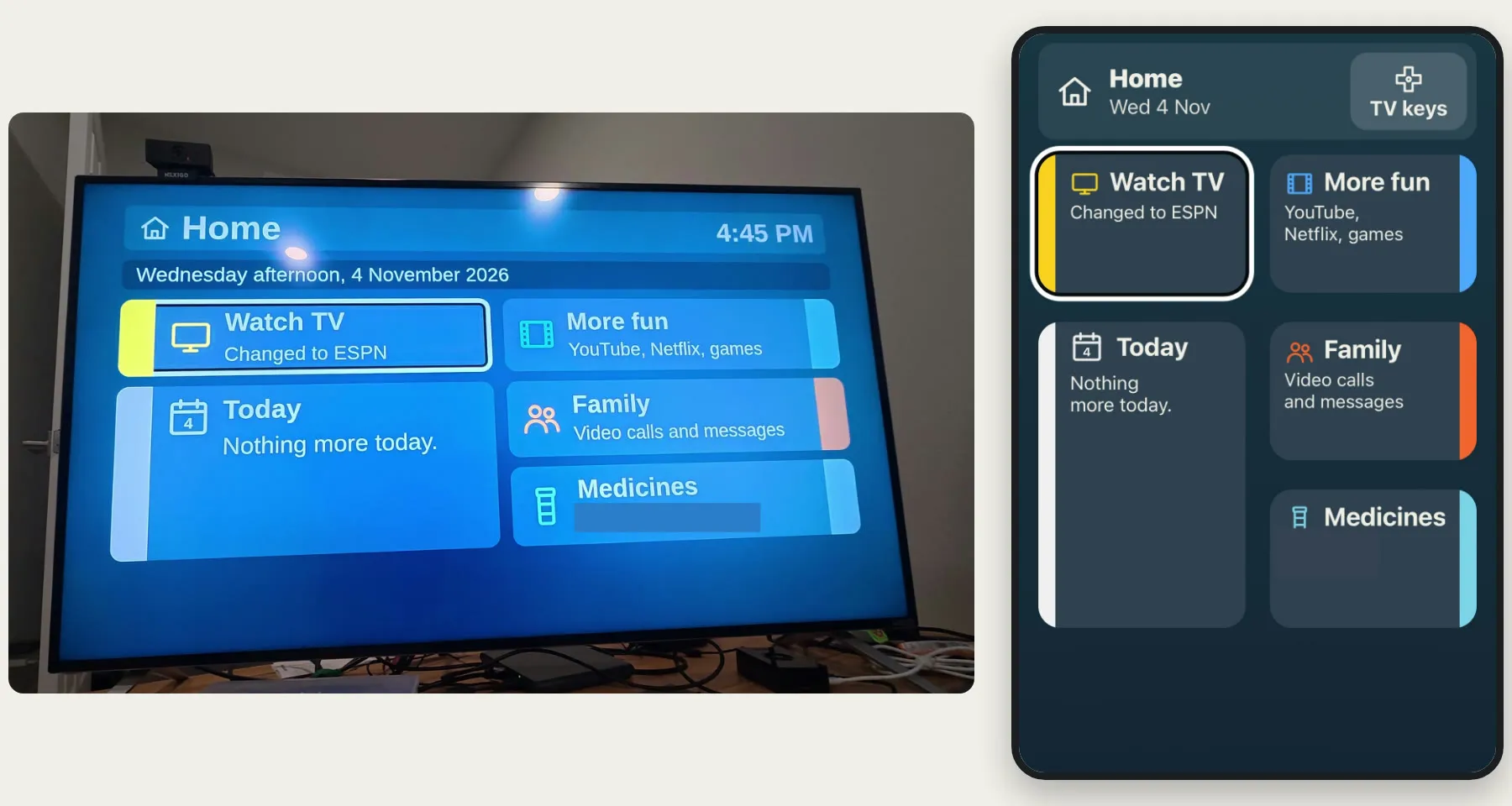
To ask for a call, he picks Family, and there's one big button: Call Ben, Video call on this TV. It doesn't ask how, or which app.
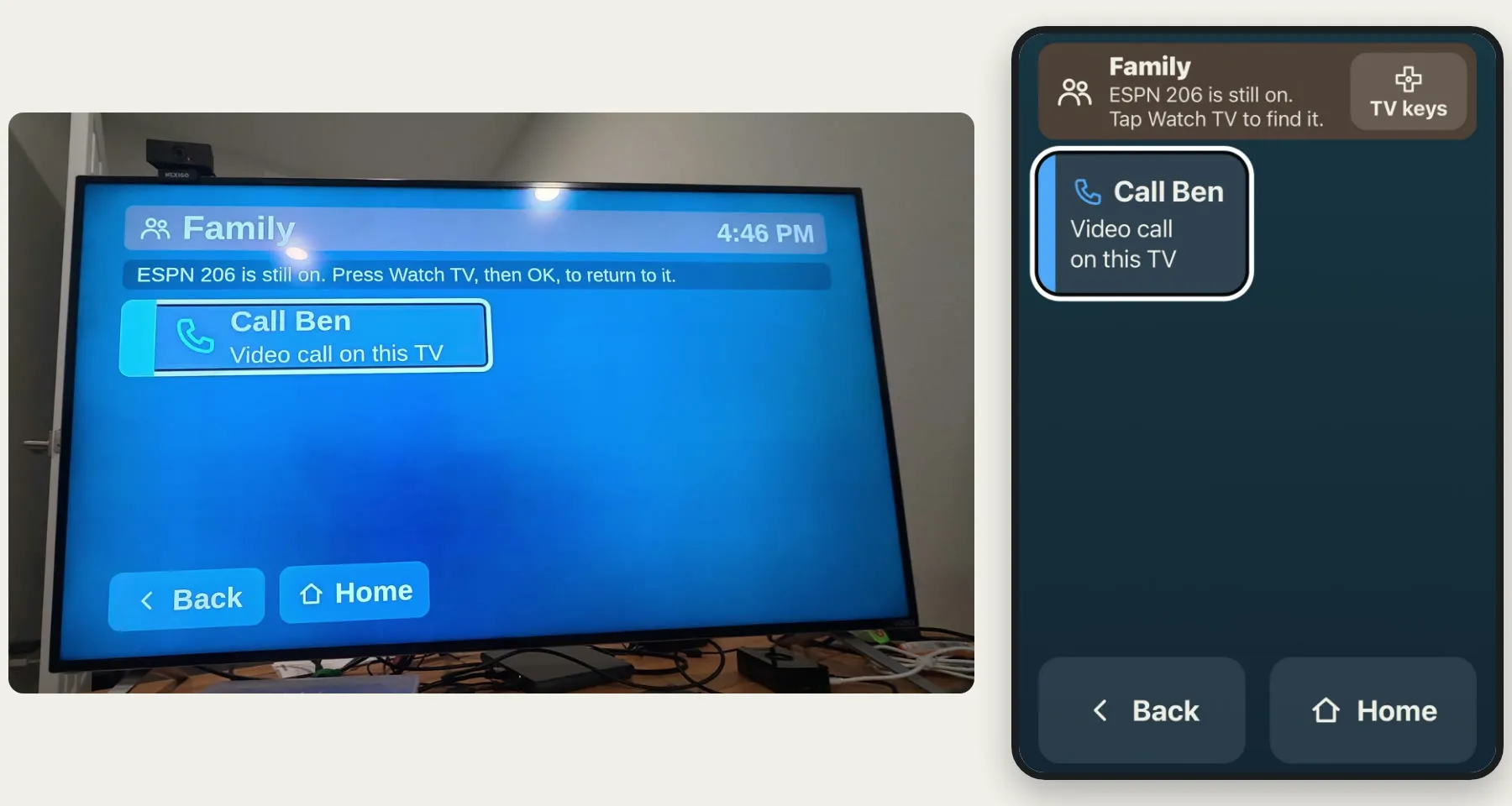
His tap sends me a text instead of ringing me. I might answer in ten seconds, or I might not see it for a while. On a phone, this is where you'd sit looking at a screen, wondering whether anything happened. So the TV changes straight away.
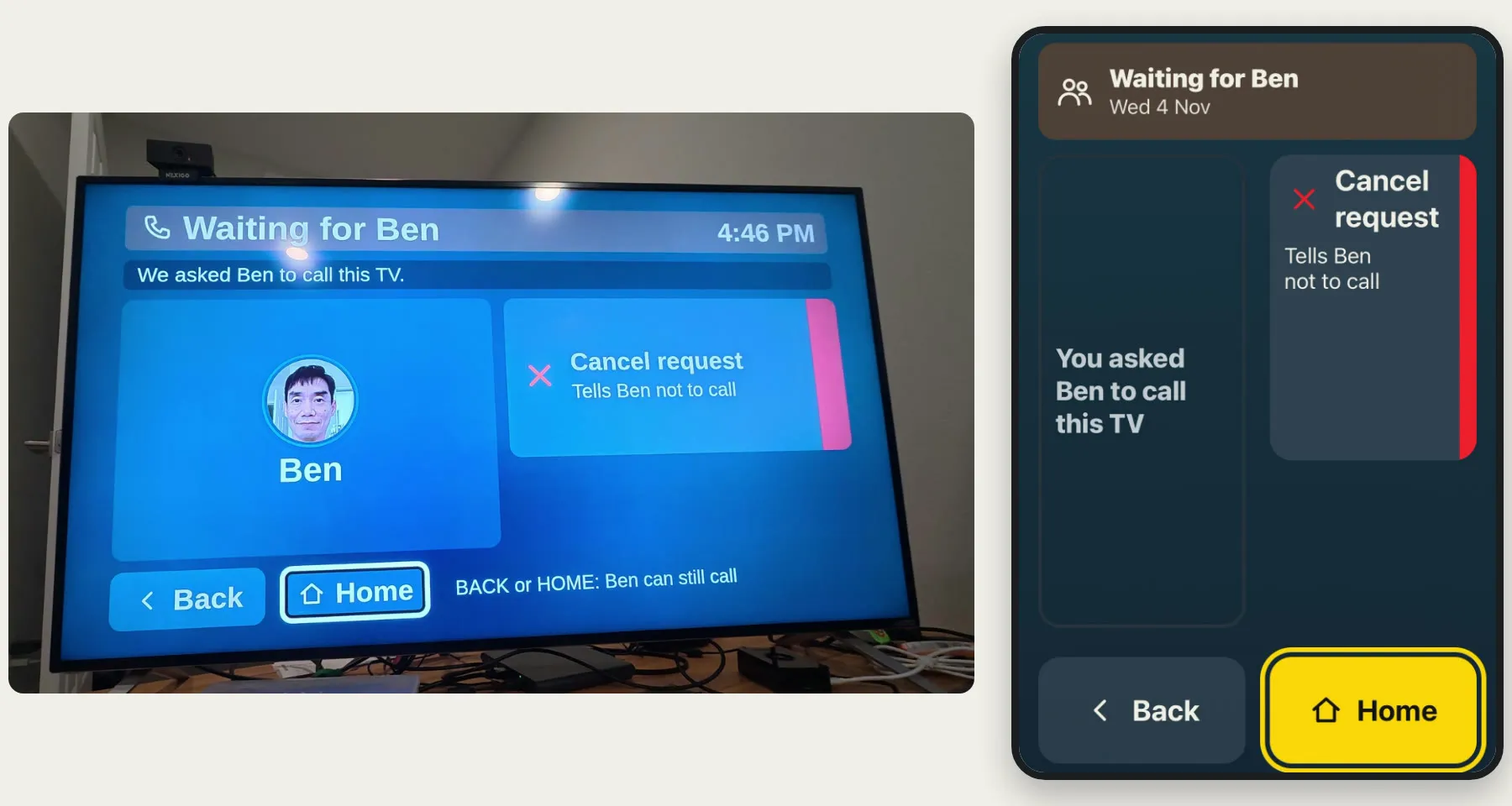
That screen took a few tries. It started as an instruction, Wait here. Then we tried a checklist of everything that had happened so far. It was accurate, and it was a lot to read while waiting for your son to call.
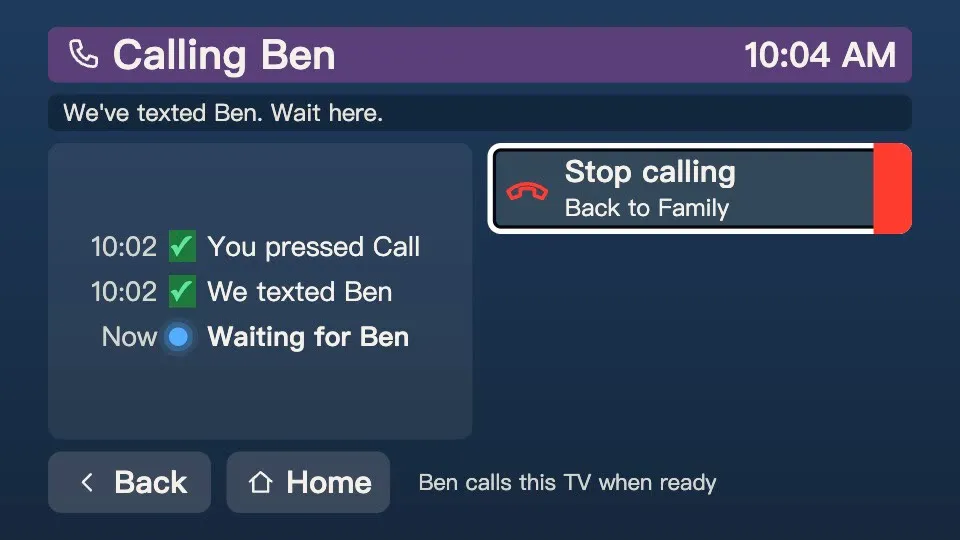
Now it's my photo and one line. He doesn't have to stay and look at it, either. He can go back to his show, and my call will still reach him. If he changes his mind, Cancel request sends me a second text saying there's no need to call.
While he waits, this lands on my phone.
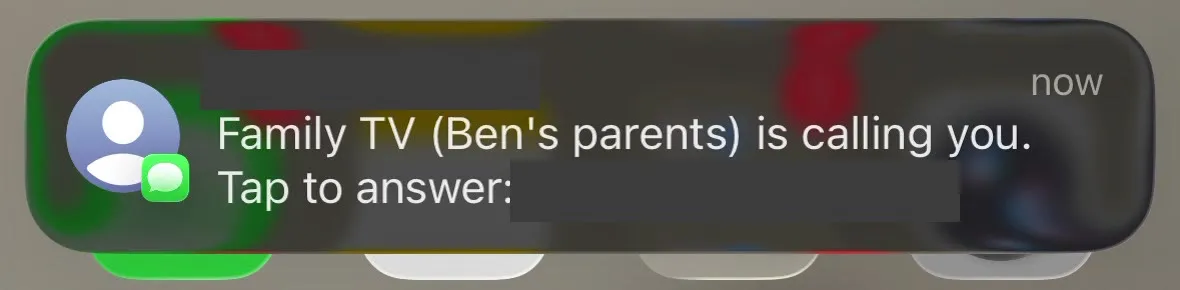
The link opens a web page, so there's nothing to install. Once a phone has been set up, it stays signed in, so I'm not hunting for a password while my dad waits.
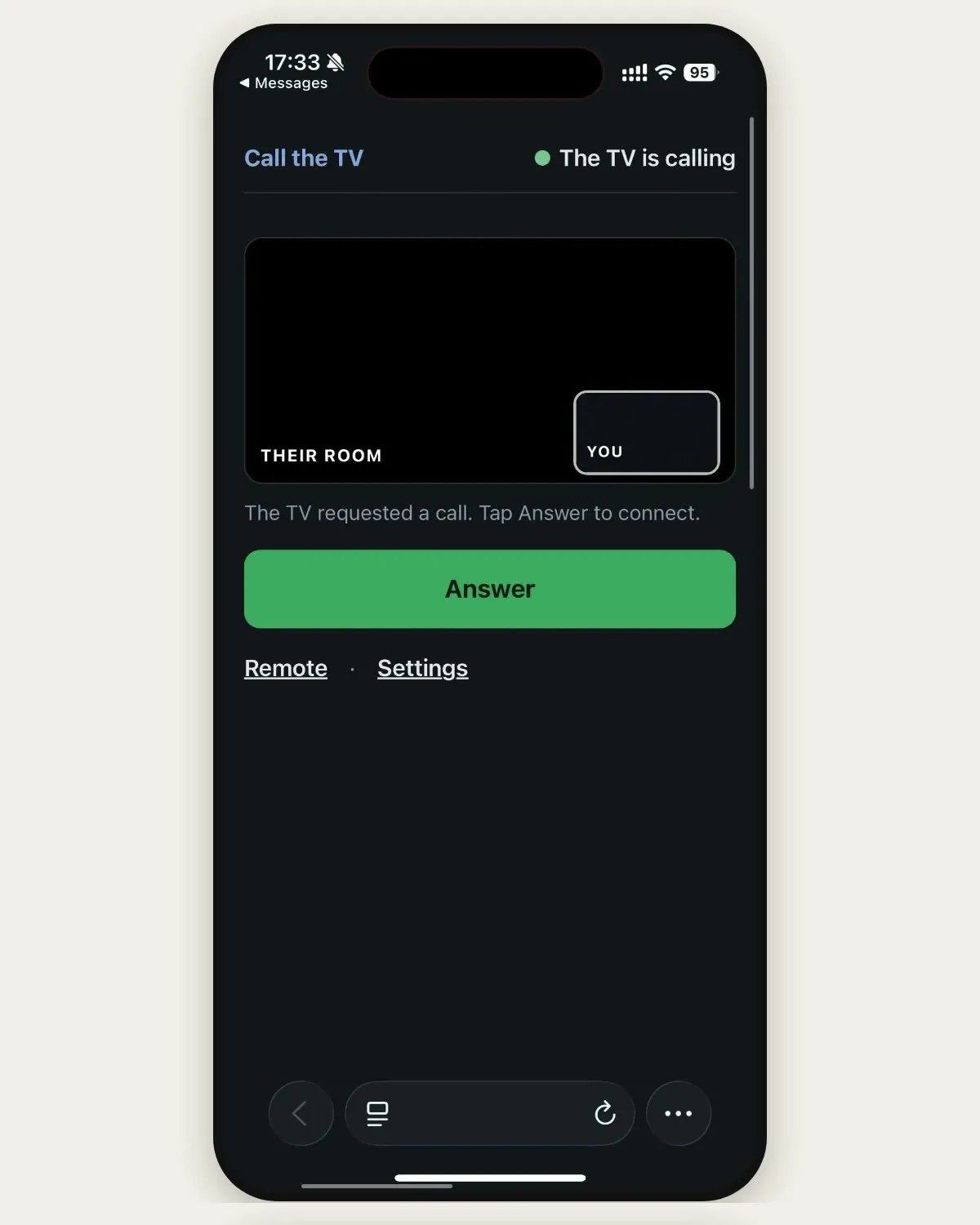
Once I answer, he has nothing else to do
He already asked for this call, so there's no ring and nothing more for him to press. I tap Answer, and I'm on his TV.
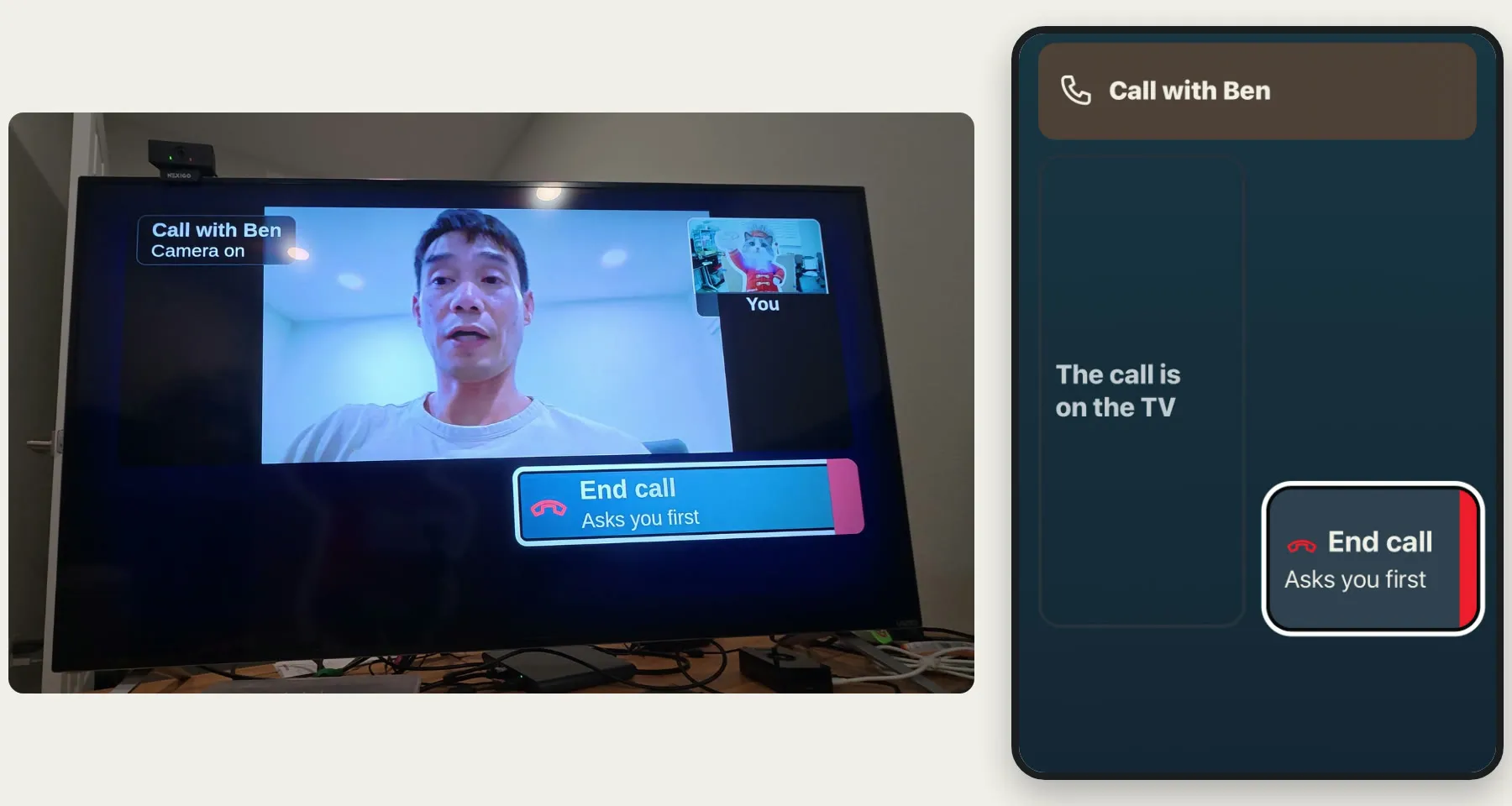
His remote has almost nothing left on it: a line saying the call is on the TV, and End call. Ending a call took a small fix too. At first, any key ended it, so one stray press could hang up on me. Now only End call does, and it asks first, in case he taps it by accident, with Keep talking already selected.
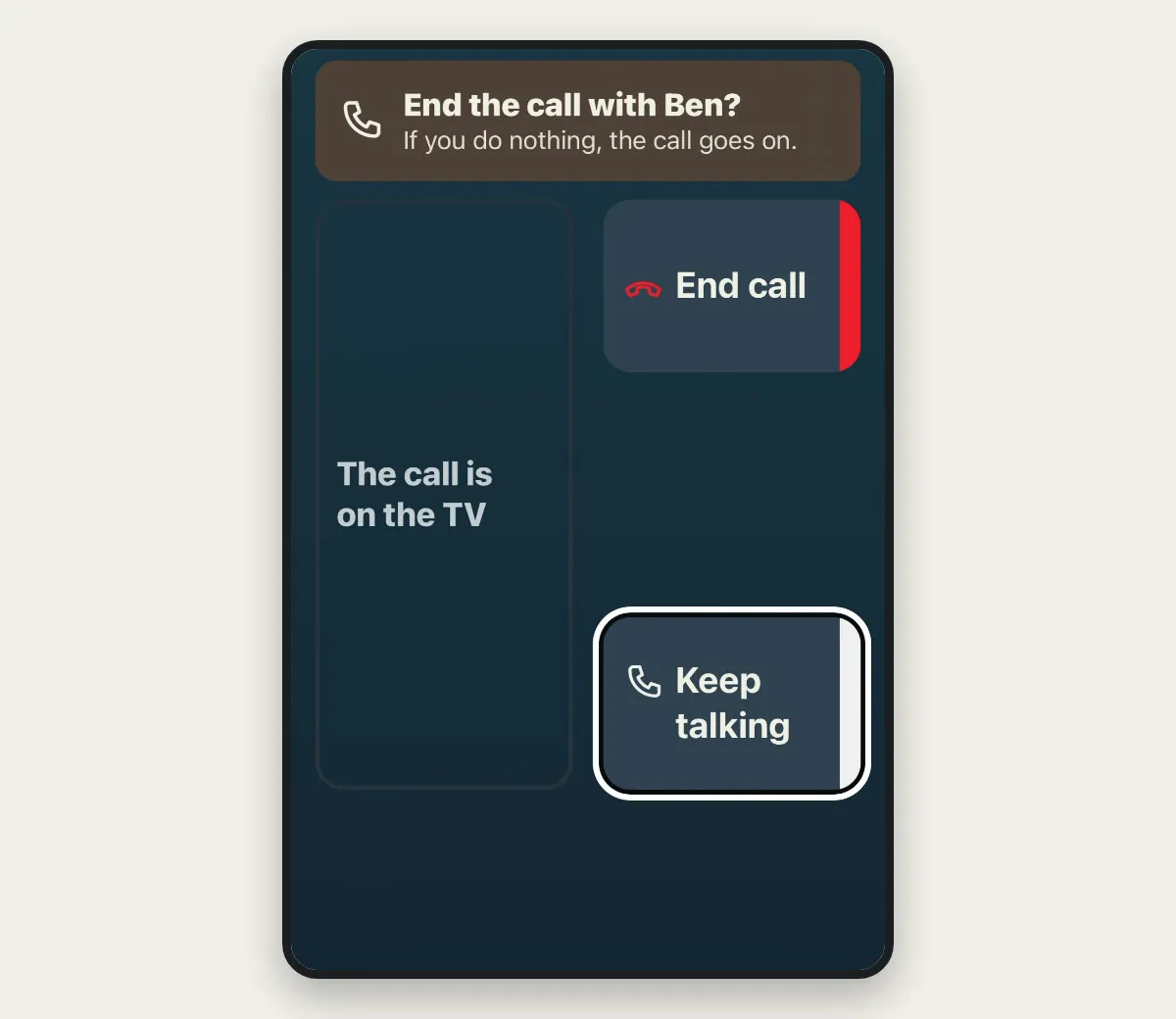
The rest of the buttons are on my phone.
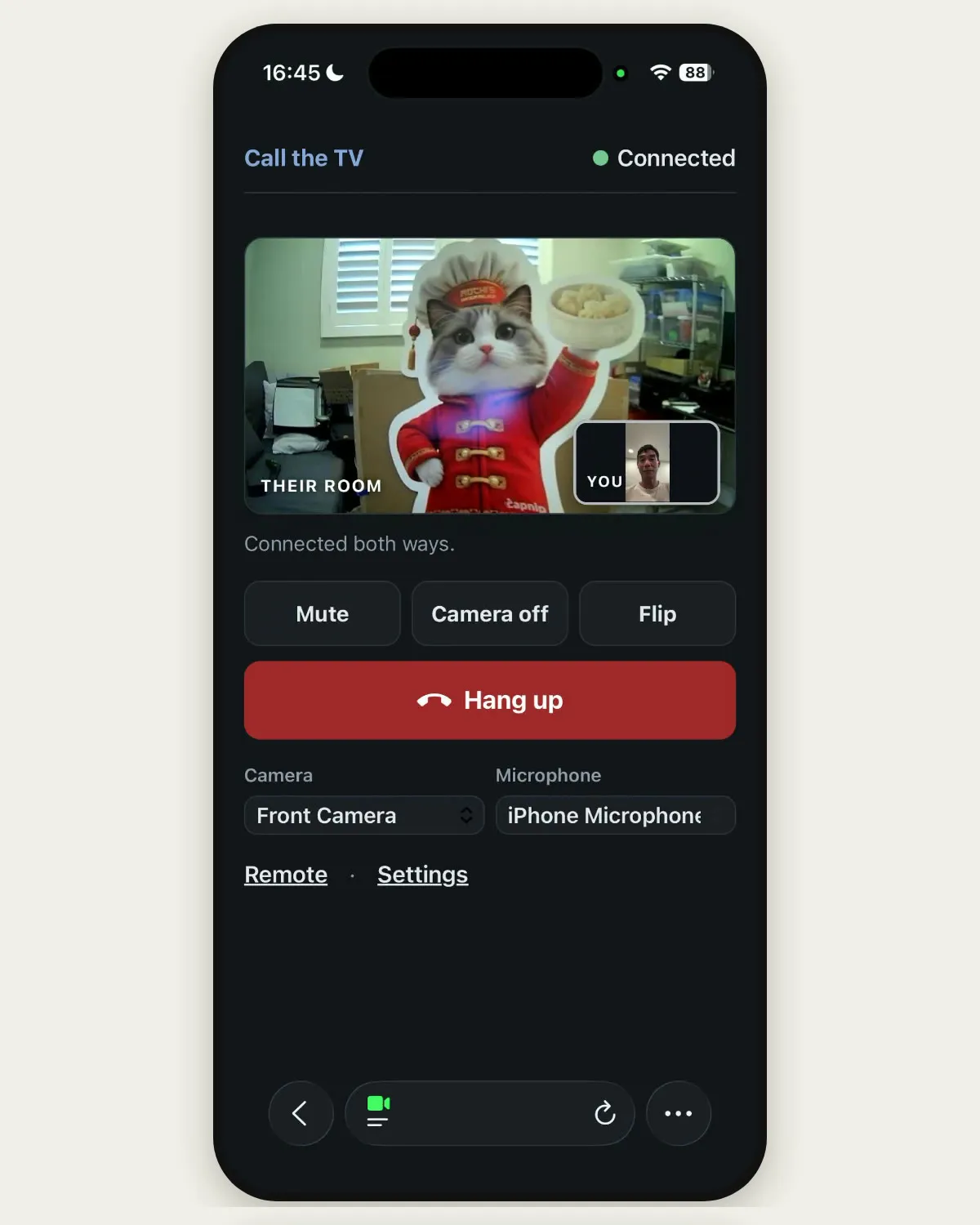
He can't see those buttons, so the TV has to tell him what they did:
- Mute: on a video call, muting can leave the other person watching your mouth move with no sound. Here the TV says "Ben is muted" right on the picture.
- Camera off: the TV says "Ben's camera is off" and shows my photo, so he isn't left looking at a black screen and thinking it broke.
When I call him, the TV rings first
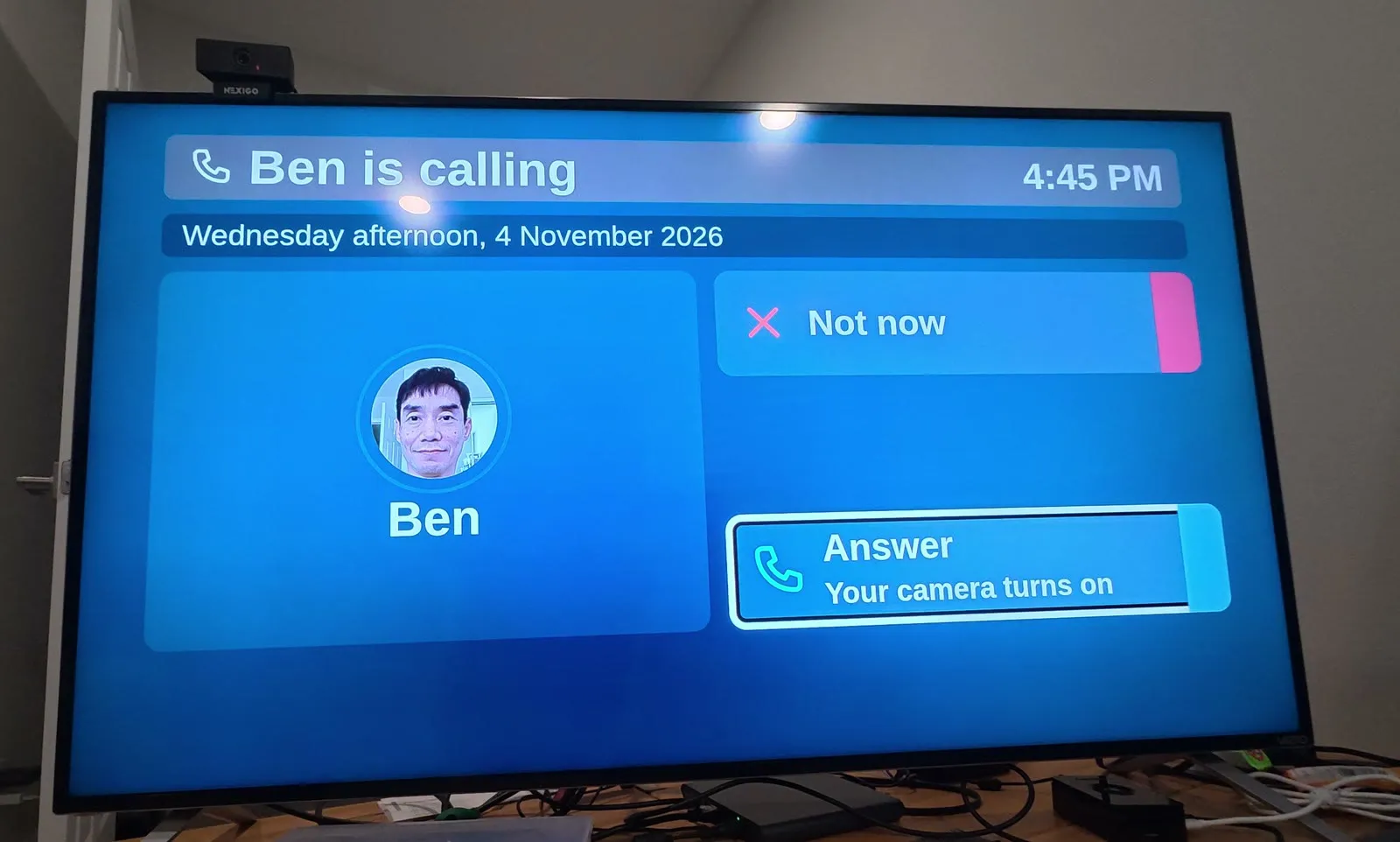
Calling the other way is different, because nobody in the room asked for it. I open the same page and tap Start the call. Over whatever he's watching, the TV shows my name and my photo and starts to ring.
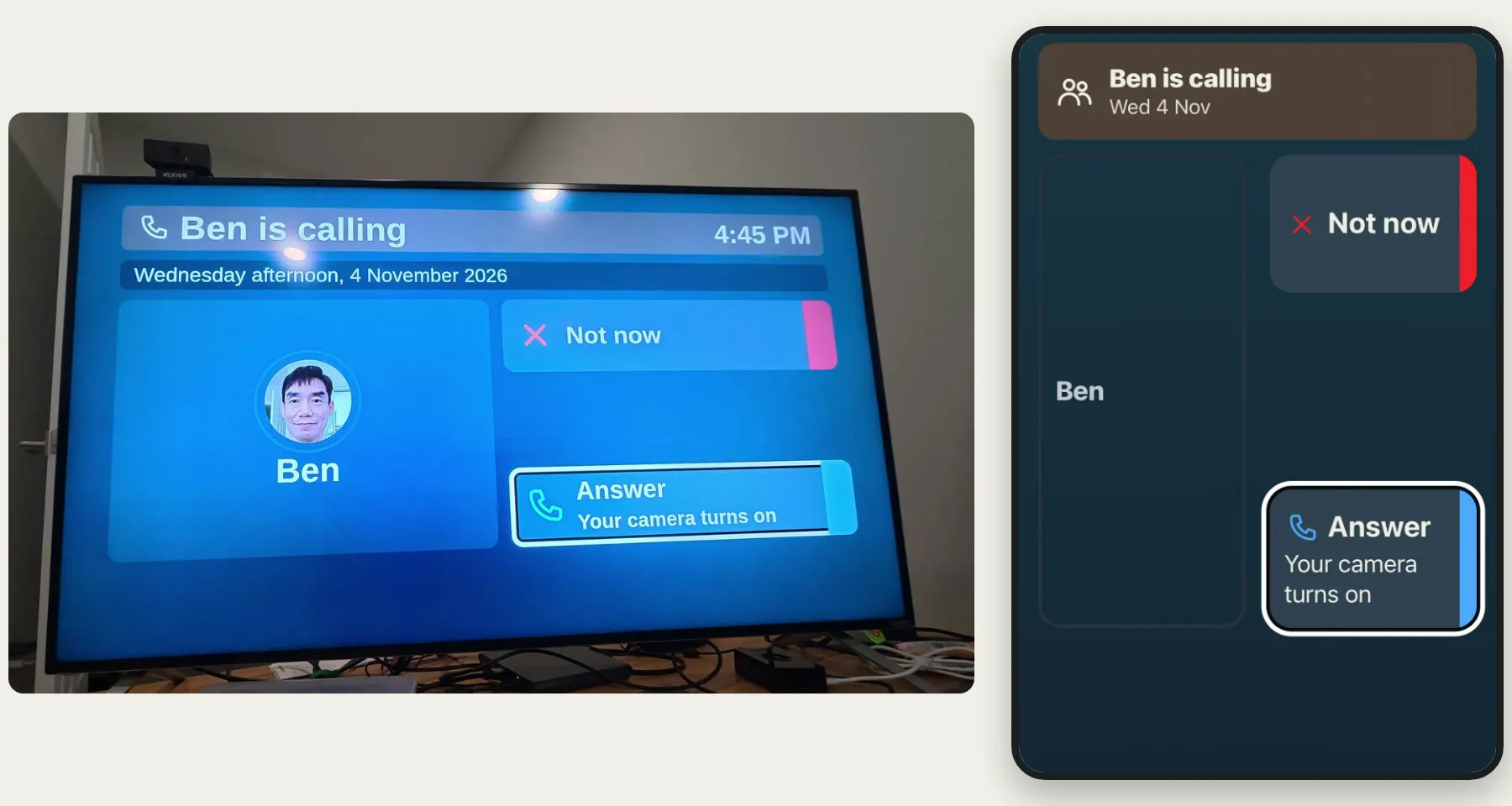
If the TV is off, it wakes up first. Eric added that after a call reached a TV on standby. The ring comes out of the TV's speakers, so the call arrived on a dark, silent set and nobody knew.
Then it's up to him:
- Answer: we talk, and when we hang up, his show comes back. Netflix comes back paused.
- Not now: my phone tells me, so I'm not left wondering.
- Nothing: it rings for up to 45 seconds, and then my phone tells me he didn't answer.
It took me two tries to decide when it should ring
The TV didn't always ring. Eric built his to answer by itself, so his parents have nothing to do, and they like it that way. His mom did jump the first time he appeared on her TV, so his now gives a chime and a five-second countdown first. Each family chooses how its TV works, and I went the other way from Eric. I plugged a webcam into my own setup and called it from my laptop. The TV answered at once, and the camera was on before anyone in the room could have known a call had come in. It went through even with the TV off: the camera came on, and I could start talking to a room that had no idea I was there. That was confusing, and it could shock someone, the way Eric's mom jumped. I didn't want that for my dad, so I added a ring and two choices.
Then I overdid it. I made every call ring. Two weeks later I tested a call from the start. I pressed Call Ben, tapped the text on my phone, and the TV rang all over again. My dad would already have asked for the call, and now he'd have to answer his own request. So I changed it back for that one case: if he's asked in the last two minutes, my call connects. Otherwise it rings.
A ring only works if he hears it
Nearly half of people in the US over 75 have difficulty hearing, and that can include hearing phones and doorbells.6 My ring started as two electronic beeps. I put a page of options together, listened to them and picked a marimba: four wooden notes that go up and come back down, every few seconds. The notes stay low to middle, about 390 to 660 Hz, because people with age-related hearing loss often have more trouble with higher-pitched voices,7 and I wanted to stay away from that end.
A smoke alarm study points the same way. A low 520 Hz sound woke 92% of hard-of-hearing adults, and a high 3100 Hz tone woke 56%.8 Those people were asleep, not sitting in a living room, and a smoke alarm isn't a marimba. If nobody answers for 15 seconds, it grows louder, in case he's in the next room.
An idea for checking in when nobody answers
A ring like that also gives me a second way to reach my parents. A phone can be on silent in another room, or sitting on a charger. The TV wakes itself and makes a sound.
That gave me another idea. Say you've tried your parents' phones and you've tried the TV, and nobody answers. Usually it's nothing. They're out, or the phones are in another room. But from where you're sitting, you can't tell whether something is wrong. A TV that answers by itself, the way Eric's does, would let you look in without anyone having to get to a button.
That's a camera in someone's home coming on with nobody pressing anything, the very thing I added the ring to avoid. So your parents would have to agree to it ahead of time, while everything is fine, and it wouldn't replace calling for help in an emergency. It's only an idea, but it may be worth exploring.
Next, it goes on my dad's TV
For now it stays on my TV, with the cat. There's one thing to fix first. The button says my name, but the text goes to everyone in the family who signed up. With only me signed up, that's fine. With two of us, he'd tap my name and both our phones would go off. So the next version gives each person their own place on the Family screen, with their name and photo, tied to their own phone. Tap my name, and only I hear about it.
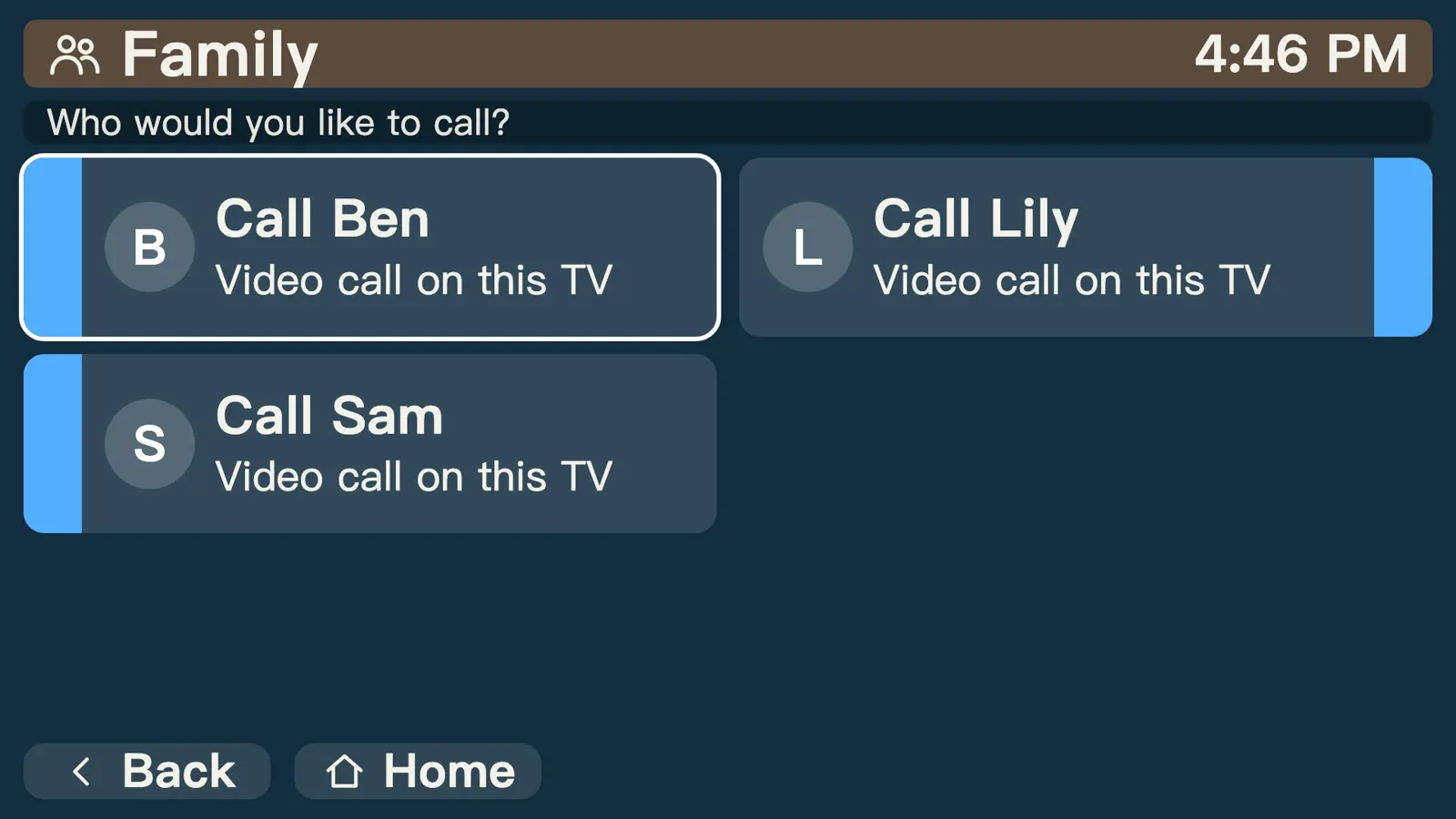
Then it goes in his living room. One day I'll want to show him something. He'll tap my name, I'll tap Answer, and my mom won't have to help.
If you're helping a parent with their tech, follow along as we build this.
Sources
- Pew Research Center, How the internet and technology shaped Americans' personal experiences amid COVID-19 (published 2021)
- Pew Research Center, Navigating technological challenges (published 2021)
- Parkinson's Foundation, 10 facts about cognitive change in Parkinson's (published 2026)
- U.S. Bureau of Labor Statistics, American Time Use Survey 2025, Table 11A (time spent in leisure and sports activities by age) (published 2026)
- Naudé et al., PubMed Central, Assessment of an interactive television that supports social connectedness among older adults living at home and in geriatric institutions: usability and task performance analysis (published 2024)
- National Institute on Deafness and Other Communication Disorders, Age-related hearing loss (presbycusis) (published 2023)
- MedlinePlus, U.S. National Library of Medicine, Age-related hearing loss (published 2024)
- Bruck and Thomas, Fire Protection Research Foundation, Waking effectiveness of alarms (auditory, visual and tactile) for adults who are hard of hearing (published 2007)